
Why Connecting Your Funnel Builder to Email Marketing Is Non-Negotiable in 2026
Most businesses treat their funnel builder and email marketing platform as two separate tools that occasionally talk to each other. That's a mistake. When your funnel builder and email marketing system are properly integrated — or better yet, unified in a single platform — you stop losing leads in the gaps between disconnected software and start building a revenue engine that actually runs itself.
The numbers make the case plainly: email marketing delivers an average ROI of $40 for every $1 spent, making it the highest-return channel available to most small businesses. But that return depends entirely on timing and relevance — two things that only happen when your funnel triggers the right email at exactly the right moment. A standalone email tool that doesn't know which funnel page a visitor landed on, or which opt-in form they filled out, is flying blind.
This guide breaks down how to properly connect your funnel builder to your email marketing system, which platforms do it best natively, and what to look for if you're stitching tools together via integrations.
How Funnel Builder and Email Marketing Integration Actually Works
Understanding the mechanics will save you hours of troubleshooting. When someone opts into your funnel — whether through a squeeze page, a webinar registration form, or a checkout page — three things need to happen in sequence: the contact gets added to your email list, tagged or segmented based on where they came from, and enrolled in the appropriate automation sequence.
Native Integration vs. Third-Party Connections
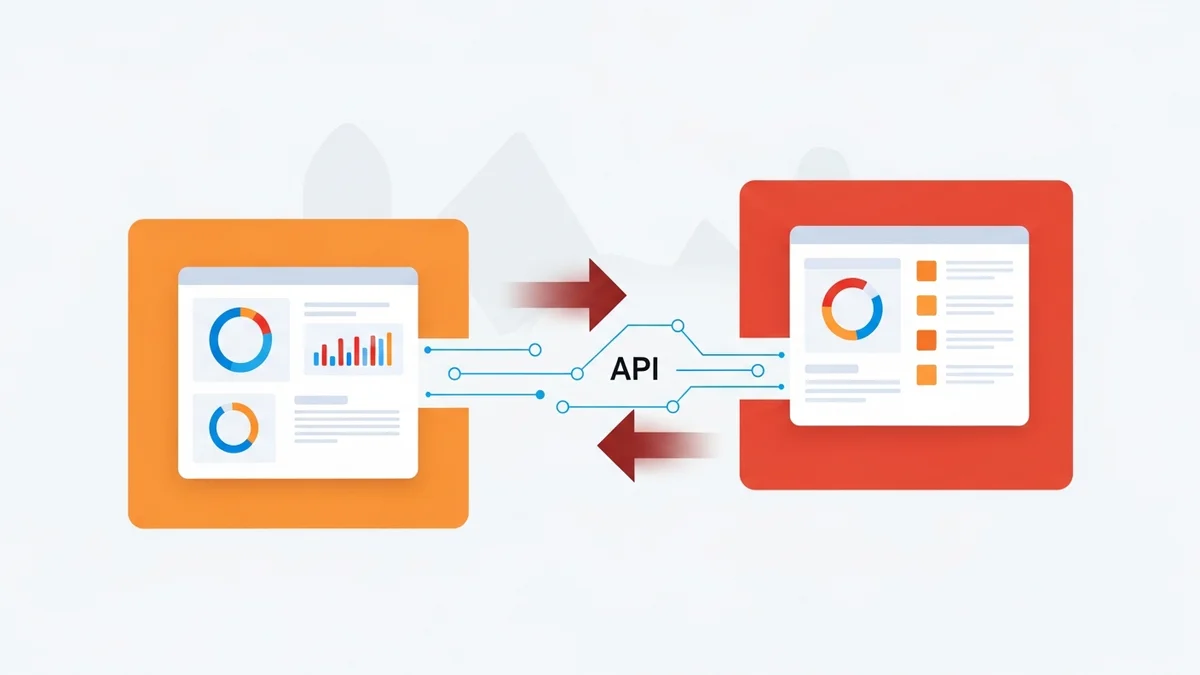
There are two ways to connect funnel builders with email marketing tools. Native integration means the funnel builder has email marketing built directly into the same platform — one database, one dashboard, zero sync delays. Third-party connections use middleware like Zapier or direct API integrations to pass data between separate tools.
Native integration wins almost every time for one simple reason: data fidelity. When your funnel builder and email tool share the same contact record, every page view, purchase, and form submission is immediately available to your automation rules. With third-party connections, you're always one failed webhook away from leads falling through the cracks.
That said, third-party connections make sense if you've already invested heavily in a best-in-class email tool like ActiveCampaign and don't want to rebuild your automation logic from scratch. The key is choosing a funnel builder with robust, well-documented API connections rather than bolted-on Zapier integrations that break on plan changes.
The Tag and Segment Layer
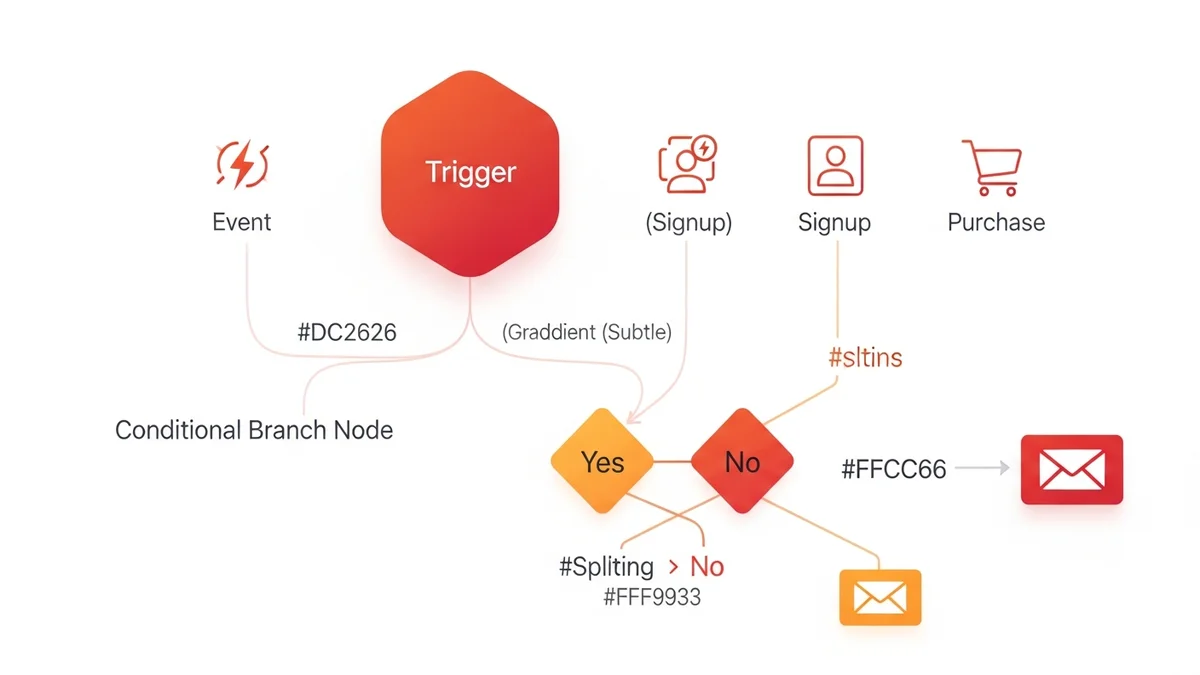
The most underused feature in any funnel-email integration is tagging. Every opt-in, every page visit, every purchase should write a tag to the contact record. These tags then drive conditional logic in your email sequences — showing upsell offers only to buyers, re-engagement sequences only to non-openers, and content upgrades only to subscribers who've shown interest in a specific topic.
Platforms like Kartra and GoHighLevel build this behavioral tagging directly into their funnel logic, meaning you can set a rule like "if contact visits pricing page three times without purchasing, trigger the objection-handling sequence" without writing a single line of code.
Comparing the Best Platforms for Funnel-Email Connectivity
Not all platforms are created equal here. Below is an honest comparison of how the leading funnel builders handle email marketing integration, based on their current feature sets and publicly available plan data.
| Platform | Email Marketing | Free Plan Contacts | Starting Paid Price | Native Automation | Behavioral Tagging |
|---|---|---|---|---|---|
| Systeme.io | Built-in (unlimited sends on free) | 2,000 | $27/month | Yes | Yes |
| ClickFunnels | Follow-up funnels (built-in) | None | $97/month | Yes | Limited |
| Kartra | Full built-in suite | None | $99/month | Yes (advanced) | Yes |
| GoHighLevel | Built-in (email + SMS) | None | $97/month | Yes (advanced) | Yes |
| Leadpages | Via integration only | None | $49/month | No (requires 3rd party) | No (requires 3rd party) |
| Unbounce | Via integration only | None | $99/month | No (requires 3rd party) | No (requires 3rd party) |
Newsletter
Get the latest SaaS reviews in your inbox
By subscribing, you agree to receive email updates. Unsubscribe any time. Privacy policy.
The pattern here is telling: platforms built around the all-in-one philosophy — Systeme.io, Kartra, GoHighLevel — deliver the tightest funnel-email connection because they were architected that way from the start. Leadpages and Unbounce excel at landing page performance and conversion optimization, but they're fundamentally page builders that need external email tools stitched on. That's a valid setup, but it requires more maintenance and more technical overhead.
Setting Up Email Sequences That Fire From Your Funnel
Even with the right platform, most people configure their email sequences incorrectly. Here's the framework that actually works.
Step 1: Map Your Funnel Stages to Specific Email Goals
Your funnel has distinct phases — awareness, consideration, decision, and post-purchase. Each phase should trigger a different type of email sequence with a different goal. An awareness-stage opt-in (like a lead magnet download) should trigger a nurture sequence that builds trust and educates, not a sequence that immediately hammers the subscriber with sales pitches.
The distinction matters because 65% of successful B2B marketers attribute their growth specifically to content relevance and lead nurturing quality — not volume. Sending more emails to the wrong people at the wrong stage is counterproductive.
Step 2: Use Entry-Point Tags to Personalize From the Start
The moment a contact opts in, your system should write a tag that records exactly where they came from — which opt-in page, which lead magnet, which ad campaign. This entry-point data is the foundation of every personalized sequence you'll ever build. Without it, you're sending the same generic emails to everyone and wondering why your open rates are mediocre.
Step 3: Set Behavioral Triggers for Your Sales Emails
The highest-converting email sequences don't fire on a fixed timer. They fire based on behavior. If a subscriber clicks a link to your pricing page, that click should immediately trigger a "pricing objection" follow-up sequence. If they open four emails in a row without clicking, that engagement signal should trigger a "let me help you" soft-touch sequence rather than continuing the same broadcast cadence.
This behavioral logic is where platforms like Kartra and GoHighLevel genuinely earn their monthly fees. The if-then-else automation builder in these platforms can encode your entire sales logic into a visual workflow that runs without your involvement.
Step 4: Build a Post-Purchase Sequence Into Your Funnel
Most businesses treat the purchase confirmation as the end of the funnel. It's actually the beginning of your most valuable email relationship. A buyer who receives a well-crafted onboarding sequence — one that delivers immediate value, answers the most common questions, and introduces relevant upsells at the right moment — is dramatically more likely to buy again than one who receives a generic receipt email and nothing else.
The AI Factor: How Modern Platforms Are Closing the Setup Gap
One barrier that historically kept small businesses from implementing sophisticated funnel-email integrations was the setup time. Building a proper multi-stage funnel with segmented email sequences, behavioral triggers, and A/B tested subject lines used to take 48 hours or more of careful configuration.
AI-assisted funnel builders have collapsed that timeline. Modern platforms now use machine learning to generate email copy, suggest sequence structures based on your industry, and predict which subject lines will drive higher open rates — compressing that 48-hour setup window down to approximately 15 minutes for a functional first draft. According to HubSpot's 2026 Marketing Strategy Report, 92% of high-growth businesses are now using AI-integrated automation to manage their customer journeys.
This matters for the funnel-email connection specifically because the AI layer can now observe how contacts behave across both the funnel pages and the email sequences simultaneously, then optimize send times, content blocks, and offer sequencing in ways that manual configuration never could. Platforms that have invested in this AI layer — rather than bolting on a basic drag-and-drop email editor — are increasingly the ones worth paying for in 2026.
Common Mistakes That Break the Funnel-Email Connection
Mistake 1: Double Opt-In Without a Confirmation Sequence
Double opt-in is good deliverability practice, but it creates a dead zone between the initial opt-in and confirmed subscription. If someone opts in, doesn't receive the confirmation email (spam filters are aggressive), and never confirms, they're lost. Build a specific re-confirmation sequence that fires 24 hours after an unconfirmed opt-in with a plain-text email asking them to whitelist your address and confirm again.
Mistake 2: Single List Architecture
Dumping every contact from every funnel into one master list destroys your segmentation. When you run a broadcast to your entire list, you're sending a checkout-abandonment recovery email to people who already purchased, and a cold-audience nurture email to longtime customers. Both are irrelevant. Use separate lists or — better — a tag-based system where every contact's behavior history determines what they receive.
Mistake 3: Ignoring Deliverability Setup
The most sophisticated funnel-email integration is worthless if your emails land in spam. Before you build a single sequence, make sure your sending domain has properly configured SPF, DKIM, and DMARC records. Platforms that include email marketing natively — like Systeme.io — typically handle some of this infrastructure for you, but you still need to authenticate your own domain to protect sender reputation at scale.
Which Setup Is Right for Your Business?
The honest answer depends on where you are in your business growth curve.
If you're starting from zero and want to build a complete funnel-email system without spending money upfront, Systeme.io's free plan (2,000 contacts, unlimited email sends, built-in funnel builder) is genuinely the best free starting point available in 2026. There's no other platform that gives you this level of native integration at $0.
If you're running an established business and need advanced behavioral automation, deep CRM integration, and multi-channel sequences that include SMS alongside email, GoHighLevel or Kartra are worth the investment. The monthly fee pays for itself quickly when your abandonment sequences recover even one or two deals per month that would otherwise have gone cold.
If you're committed to a best-in-class dedicated email tool and don't want to migrate away from it, prioritize funnel builders with native integrations to your email platform over generic Zapier connections. The data sync reliability is worth spending extra time evaluating before you build.
The funnel and the email sequence are not two separate marketing activities. They are one continuous system, and the businesses treating them that way — with unified data, behavioral triggers, and AI-assisted optimization — are the ones compounding their conversion rates while their competitors are still manually importing CSV exports between disconnected tools.